My designs

Welcome back

Weekend Hiace

Toyota Hiace LWBSaved 20 minutes ago

All designs

Welcome to Vando

Let's build your first van

Choose your van, then make every piece yours.

Explore the demo van
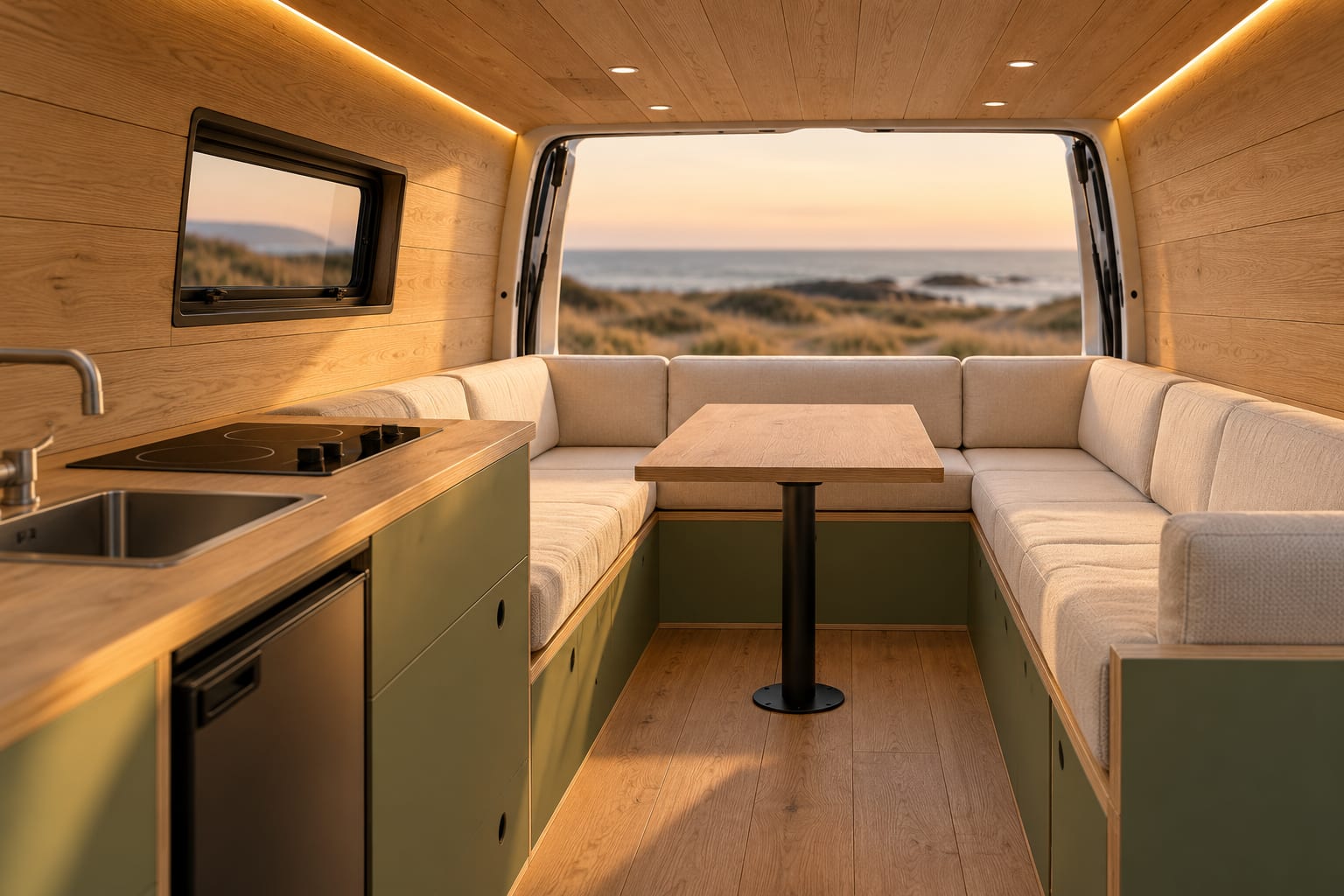
A finished campervan interior at sunset, rendered in Vando

Your designs

3

Start with your van

Start from a layout

Real layouts for the Toyota Hiace. Pick one, then make it yours.

Plan your campervan conversion.
How to use VandoDemo vanPrivacyTermsSupport

My camper design

Rename

Delete design?

This will move “My camper design” to Recently deleted. You can restore it there for 30 days.

Your account

Saved on this device

Sign in to keep your designs on every device.

Vando homepageNew features and prices

Privacy and data · Version 2026.11.04

Your account

S
[email protected]

Designs saved to your account

Solo
Saved designs2 of 5
Vando homepageNew features and prices

Keep your designs

Sign in once and Vando saves every change to your account.

We send a 6-digit code. No password needed.

or

By continuing you agree to the Terms. Read how we use your data in Privacy.

Keep your designs

Sign in once and Vando saves every change to your account.

This email needs an @ and a domain, like [email protected].
or

Check your email

Enter the 6-digit code we sent to [email protected].

No email? Check junk, or .

Add 2 designs to your account?

Your 2 designs on this device will be on your other devices too. The copies on this device stay as they are.

Appearance and units

Appearance

System follows your phone or computer.

Measurements

Drawings and the build guide always use millimetres.

Backup and restore

Keep a copy of a design as a file, outside Vando.

How to use Vando

Vando, explained.

Where everything is, what each tool does, and the answers to the usual questions.

The screenLook aroundFive stepsToolsA pieceQuestions

The screen

Look around

Five steps, left to right

VanSteering side, doors, the lining inside and the colour outside.
FurnitureBeds, seats, kitchens and storage. Start empty, from a kit or from a full layout.
PowerSay how you travel. Vando sizes power, water and gas and finds them a place. Ask the AI here.
TripSet the days, weather and driving. See what runs out first.
PlansThe build guide, cutting plan, parts and materials and floor plan, ready to download.

Tools on the right

ScenesSee the van with everything closed, everything open or just the doors open. Save your own.
X-rayTap the pieces you want to see through.
Day and nightChange the light to day, evening or night.
Browse VTap a piece to see its card. Nothing moves.
Undo and redoUndo the last edit, or redo it. These stay just after Browse when the toolbar has less room.
Move MDrag a piece to move it. Drop it on another piece to sit it on top.
Transform TSquares change the size, the ring turns it in 45° steps, the arrow lifts it.
Connect CTap the pieces that belong together. They move as one.
Colour BPick a colour, then tap any piece to paint it.
Open and close OTap a piece that slides out or folds to open it, and again to shut it. Tap a cabinet for its doors.

Working with a piece

Pick itPress and hold a piece. Its card opens at the bottom.
Change itThe card has its width, depth and height, Turn, Lift, its designs and its colours. Type exact numbers if you know them.
Check itAn obvious overlap gets a red outline and a short reminder. The piece stays where you put it. You can dismiss the reminder and keep designing.

Questions

How do AI packs work?

AI packs add AI usage for £5 (or €8) each. A pack is used only after your monthly allowance runs out, can be used for 12 months from purchase, and is paused while you are not a member. The daily allowance does not apply to pack usage. You can ask for a refund of an unused pack within 14 days of purchase; a pack that has been partly used is not refundable.

Is my work saved?

Yes, every change saves itself on this device. Sign in to keep your designs on every device.

How do I get the build guide?

Open Plans, the last step, and choose a document and language. The manual opens for reading; its print button lets you choose the workshop version or large drawings. The cutting plan, parts and materials and floor plan are here too.

Simple or Pro?

Simple gives you one large view and a panel you can open when needed. On a computer, Pro adds Layer on the left and a resizable panel on the right. Top and Side are optional extra views; they start closed. Both modes use the same five steps.

What does the AI cost?

It is part of membership. Each plan includes a monthly AI allowance; Plus has five times the Solo allowance. You can see how much you have used as a percentage. If you run out, AI pauses until your renewal date and everything else keeps working.

What can I do in the demo van?

Move, paint, open and test everything. Saving, downloads and choosing your own van are for members.

Can I type exact sizes?

Yes. Pick a piece and type the width, depth and height on its card. Drawings and the build guide always use millimetres.

New van
1 of 2

Which van is yours?

Every model comes with its real inside sizes.

Toyota

SelectedHiace LWB Europe (2006 to 2012)
New van
2 of 2

How do you want to start?

Toyota Hiace LWB Europe. You can move, resize or swap every piece later.

Starting withEmpty van

Opening your van

This is taking longer than usual

Your designs are safe. A weak connection can slow the first opening.

Leave the demo?

Nothing in the demo is saved. You can come back any time.

Saving is for members

The demo resets when you leave. Members save designs, drawings, parts and materialss and the build guide.

Membership

2 tiers to suit your needs.

Both plans include every design and planning tool. Plus gives you 5× the AI use and more saved designs.

Solo

  • Every design and planning tool
  • AI usage: standard
  • 5 saved designs

Plus 5× AI

  • Every design and planning tool
  • AI usage: 5× Solo
  • 20 saved designs

Can I cancel?

Yes, any time. Your membership runs to the end of the period you paid for. New memberships can be cancelled for a full refund within 14 days.

What happens to my designs if I stop?

They are kept. You can see them, and editing opens again when you rejoin.

Does unused AI allowance roll over?

No. Your allowance resets each month on the day you joined.

Start Solo

Paid securely with Stripe. Terms of membership

Welcome to Vando.

Your membership has started. We have emailed your receipt and the terms you agreed to.

Membership

Solo, monthly

Active

Renews on 14 November at £7.99. From 14 December it is £9.99 a month.

Saved designs 2 of 5
You joined on 28 October. You can still withdraw for a full refund until 11 November. Withdraw from contract

Stop renewing?

Your membership stays active until 14 November. After that your designs are kept, and editing opens again when you rejoin.

Withdraw from contract

Withdraw and get a full refund.

You can withdraw from a new membership within 14 days, without giving a reason.

28 OctoberYou joined Solo, monthly, and paid £7.99
TodayYou can withdraw for a full refund of £7.99
11 NovemberLast day to withdraw
Withdrawing ends your membership straight away. Your designs stay safe. Nothing is deducted for AI questions, PDFs or payment fees.

Prefer email? Write to [email protected] with a clear statement that you are withdrawing. No form needed.

Withdrawal received.

Your withdrawal receipt is loading.

Staff

Membership support

Find a customer, check their contract and record an email withdrawal.

[email protected]Solo, monthly
Joined
28 Oct 2026, 09:14
Withdrawal ends
11 Nov 2026
Immediate start
Requested, terms 27 Oct 2026
Next renewal
14 Nov 2026, £7.99
PaymentDateAmountStatus
First month28 Oct 2026£7.99Paid

Record an email withdrawal

Inside the withdrawal period. A full refund is due.
Terms of membership

Terms of membership

Version 17 November 2026 · Policy C · Web memberships

[email protected]

Withdraw from contract here

Your membership

Solo and Plus both include the full van planning tools. Solo includes 5 saved designs and Plus includes 20 saved designs. AI features use a monthly usage allowance. Plus includes five times the Solo allowance. Usage resets each month on your subscription date. If you reach your monthly or daily allowance, AI features pause until it resets; the rest of Vando keeps working. Unused allowance does not roll over. Models and available features are shown in the service.

Prices and automatic renewal

Your chosen monthly or annual price, currency, applicable tax and any launch discount are shown on Membership and confirmed in Stripe Checkout before you pay. Your membership renews automatically using your saved payment method until you cancel. Euro prices include VAT where applicable.

Where a launch offer is displayed, eligible new monthly memberships receive the stated discount for their first two months and then renew at the stated regular monthly price. Eligible annual memberships receive the discounted first year and renew at the stated regular annual price. Eligibility is limited to joining within two calendar months of our announced launch date. You do not need a promotion code.

Starting immediately

Before paying, you must actively select this immediate-start request:

I ask Vando to start my membership straight away, before the 14-day cancellation period ends. I keep my right to cancel.

If you request immediate access, we will start providing your membership services during the cancellation period. This does not, by itself, remove your right to cancel. We record the wording, version and time of your request and the terms that applied to your contract, and send a confirmation email.

New membership contracts

You can cancel a new membership contract without giving a reason until the end of 14 days after the day you enter into that contract, or any later deadline required by applicable law. If you cancel within that period, we will refund the membership payment for that contract in full. We will not deduct charges for membership use, AI questions, PDF generation or payment processing from that refund.

If you leave and later rejoin under a new membership contract, that new contract has its own cancellation period. This is not a once-per-person allowance.

Our renewal refund promise

We also offer a full refund of the relevant renewal payment if you cancel within 14 days after (a) the first renewal at the normal rate following an introductory free or reduced-price period, or (b) an annual renewal. This promise applies in addition to any statutory renewal cancellation rights. Where applicable law gives you a longer period or additional rights, those rights still apply.

How to cancel during a cancellation period

Use the clearly marked online withdrawal function at https://vando.uk/withdraw/ or email [email protected] with a clear statement that you wish to withdraw from your membership contract. You do not have to give a reason or use our model form. Send your notice before the applicable deadline. We will acknowledge an online withdrawal without undue delay by email, including the withdrawal details and submission date and time.

Our withdrawal function is separate from stopping future renewals. If the usual period has ended but you believe you have a longer cancellation period or another legal remedy, email [email protected]. We will review your request rather than refuse it solely because 14 days have passed.

Refunds and access

We will make any refund due without undue delay and no later than 14 days after we receive your cancellation notice, using the original payment method unless you expressly agree otherwise. We will not charge a refund fee. Withdrawal ends the membership contract and paid access; it is different from stopping renewal at the end of a paid period. Your saved designs will not be deleted solely because your membership ends, and you can download your own designs as a backup through My designs.

We submit refunds to the original payment method. Your bank may take additional processing time to show the credit. If processing fails, we will retry or contact you to resolve it; a failed payment-service request does not remove your refund entitlement.

Stopping future renewals

You can stop your membership from renewing online at https://vando.uk/join or by sending us a clear cancellation notice. Outside an applicable statutory or promised cancellation period, your membership normally remains available until the end of the period you have paid for and no further renewal payment is taken. We do not offer additional discretionary part-period refunds outside those periods. This does not limit any refund, price-reduction, cancellation or other remedy required by law, including where our service or digital content is faulty, misdescribed or not supplied as agreed.

Changing membership and failed payments

Upgrades take effect after you confirm the prorated payment in Stripe. Downgrades take effect at your next renewal. Stripe may retry a failed renewal. Access may continue for up to seven days from the first failure. If payment is not recovered, membership access ends. Update your payment details in Manage membership.

Your designs after membership ends

We keep your designs. You can sign in, see My designs and download your own backup files. Rejoin to open the full planning workspace and continue editing. If you downgrade while above your saved-design limit, existing designs remain available; you cannot create another until you are below the new limit. Deleting your account removes your cloud designs and cancels any continuing membership.

AI packs

AI packs add AI usage for £5 (or €8) each. A pack is used only after your monthly allowance runs out, can be used for 12 months from purchase, and is paused while you are not a member. The daily allowance does not apply to pack usage. You can ask for a refund of an unused pack within 14 days of purchase; a pack that has been partly used is not refundable.

AI and planning results

AI explains results from Vando's planning calculations and can suggest changes. You choose whether to apply those changes. Planning results depend on the data and assumptions entered. Confirm actual vehicle measurements and equipment requirements before building. AI may be temporarily unavailable; the planning tools continue to work.

Your legal rights

These terms do not exclude any mandatory consumer rights, including rights that apply under the law of your country of habitual residence where applicable. Any longer cancellation period or additional remedy required by law takes priority over a shorter period or restriction stated here.

You retain rights to your designs. Our privacy and data information is at https://vando.uk/privacy/.

Questions and complaints

Email [email protected] with your account email and a description of the problem. These terms cover web subscriptions; app-store purchases use the terms and billing rules shown by the relevant store.

Model withdrawal form (optional)

You can send any clear withdrawal statement. You do not have to use this form.

To: Vando, NEWSET LTD, 71-75 Shelton Street, Covent Garden, London, WC2H 9JQ, United Kingdom; [email protected]
I hereby give notice that I withdraw from my Vando membership contract.
Contract / subscription reference (if known):
Ordered on:
Name of consumer:
Address of consumer:
Account email:
Date:
Signature (only if sent on paper):

Contact us

Who provides Vando

Vando is provided by NEWSET LTD, a private limited company registered in England and Wales (company number 17556794).

Registered office and postal address: NEWSET LTD, 71-75 Shelton Street, Covent Garden, London, WC2H 9JQ, United Kingdom.

Contact: [email protected] or +44 1527 730973.

Privacy and data

Privacy & data

Updated 11 November 2026 · Cloud designs and sign-in

[email protected]

Vando uses the information below to keep your designs available across your devices. Signing in is optional during the current test period.

What we keep

  • Your email address and account ID. If you choose Apple or Google, we keep that provider's account identifier so you can sign in again.
  • Your designs, design names, vehicle choices, preview images, modification dates and recovery copies. A design may include trip information or personal notes you add.
  • Short-lived sign-in challenges, protected session records and rate-limit counters. We use a keyed hash of an IP address for short-lived abuse limits, rather than putting the address in your account record.
  • AI allowance, request times, tool names, token usage and estimated costs when that feature is used. When you ask a live AI question, Anthropic processes your question, recent questions in the same conversation and relevant system-planning facts. Vando stores question text and answer text for up to 30 days, then removes that text. Usage and cost records support allowances and budget controls. Deleting your account removes the linked Vando AI records. The public demo uses preset answers without sending questions to Anthropic.

Why and where

We use account and design data to provide the service you request, including automatic saving, offline recovery and resolving conflicting versions. Short-lived abuse limits protect sign-in and email delivery. Cloudflare provides database and hosting services. Resend sends sign-in emails and processes your address and the sign-in message. Apple or Google processes a sign-in only when you choose that method. These providers may process data in locations outside the UK; their published privacy and data-processing terms apply to their services.

Membership payments

Stripe processes membership payments, billing addresses, invoices, tax and subscription changes. We keep the subscription status, payment identifiers, and the wording, version and time of your immediate-access acknowledgement. Resend sends membership confirmations. Membership expiry does not delete your designs: you can still view the list and download backups. Deleting your Vando account cancels an active subscription and removes linked Vando membership records. Stripe may retain payment records where required by its legal and accounting obligations; messages already delivered to your inbox cannot be removed by deleting an account.

Your device

Before signing in, designs stay in this browser. When you first sign in, Vando asks before adding those designs to your account. Signed-in designs and pending offline edits are cached in this browser so you can continue without a connection. Signing out returns to your previous device-only workspace; pending account edits remain in that account's offline cache until you sign in again. Use a device you trust. Clearing browser data can remove edits that have not yet reached the cloud.

Vando also caches public app files and models in this browser so previously loaded work can reopen offline. This cache excludes account APIs and sign-in messages. Clear this site's browser data to remove these files.

Deletion and retention

Deleting an individual cloud design moves it to Recently deleted. You can restore it for 30 days; after that it is removed from the active service. Conflict recovery copies are retained until you delete your account, so they are not silently lost.

Account → Delete account removes the account, cloud designs, recovery copies, sign-in sessions and linked AI usage records from the live database. Your earlier device-only designs remain on this device. Another device may retain an offline cached copy until you clear that browser's data; a deleted account cannot upload it again.

Cloudflare's restricted disaster-recovery backups may retain earlier database states for up to 30 days, depending on the plan. Deleted data in those backups is beyond normal use, is not used for another purpose and expires with that backup window. Any disaster recovery must reapply outstanding deletions before restoring user access. Resend may retain delivery logs under its own retention policy; deleting a Vando account cannot remove a message already delivered to your inbox.

Control your data

You can download a complete design backup from Account → Backup & restore. You can rename, duplicate, delete and restore designs in My designs. You can remove your account from Account → Delete account. You can also withdraw Apple or Google access in that provider's account settings.

For data access, corrections, deletion or other privacy questions, contact [email protected]. You can also manage and delete your data from your Vando account.

You may also raise a concern with the UK Information Commissioner's Office. This page describes data handling for Vando's cloud-design service.

Contact us

Who is responsible for your data

This product is operated by NEWSET LTD, a company registered in England and Wales (company number 17556794). NEWSET LTD is the data controller for the personal data we process in connection with this product.

NEWSET LTD is registered with the UK Information Commissioner's Office (ICO), registration number ZC292108. Company email: [email protected].

For privacy questions, email [email protected] or write to:

NEWSET LTD,
71-75 Shelton Street, Covent Garden,
London, WC2H 9JQ, United Kingdom.

We respond to privacy requests within one calendar month of receiving them.